ADA & Government Accessibility
Title II ADA Updates: What State & Local Government Entities Must Do
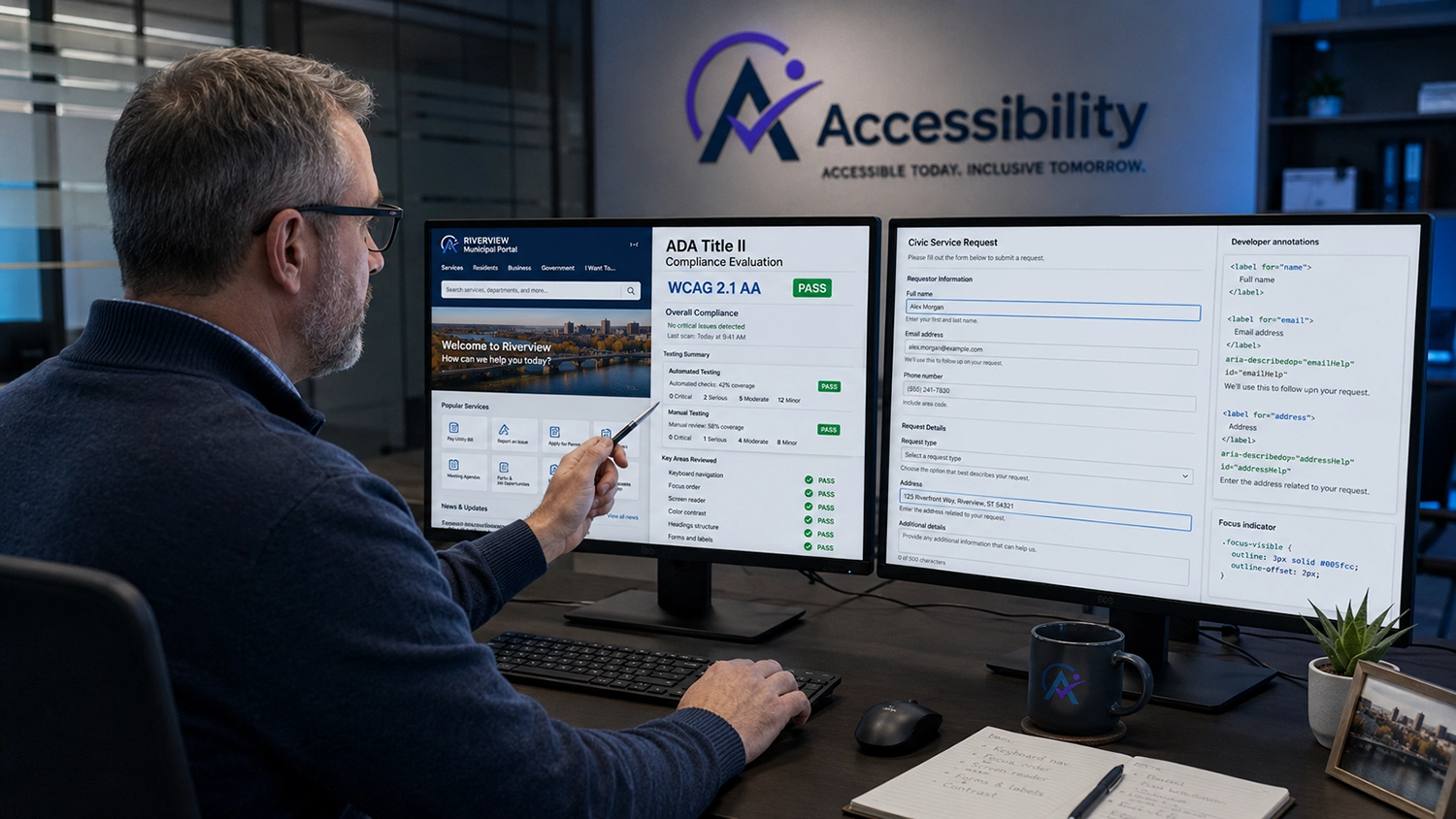
The U.S. Department of Justice (DOJ) established clear technical standards for state and local governments under Title II of the Americans with Disabilities Act (ADA). Public sector entities including municipal governments, public school districts, public universities, county departments, and transit authorities are legally mandated to ensure their web content, mobile apps, and digital services strictly conform to WCAG 2.1 Level AA standards.
For public sector CTOs, IT Directors, and Product Managers, this mandate shifts web accessibility from a passive guideline into a strict legal obligation with set compliance deadlines.
Understanding these requirements, identifying common technical pitfalls, and implementing robust manual verification is mandatory for public agencies to achieve full ADA Title II web compliance.
Scope of the ADA Title II Rule: What Must Be Accessible?
The updated Title II rule applies broadly to all digital services and content provided to the public or used by municipal employees. The technical requirements mandate compliance across four primary areas:
Public Websites & Portals: Municipal payment gateways, permit applications, council meeting archives, and public health portals.
Native Mobile Applications: City service request apps (311 apps), public transit tracking applications, and mobile payment utilities.
Digital Documents: PDF forms, policy documents, downloadable agendas, and financial reports hosted on public servers.
Third-Party Vendor Software: Cloud services, SaaS platforms, and white-labeled vendor tools integrated into government sites (e.g., utility billing portals or library catalog systems).
Technical WCAG 2.1 AA Checklist for Public Sector Sites
Public agencies must ensure their engineering teams and third-party vendors resolve critical code-level accessibility barriers.
1. Keyboard Navigability & Focus Management (WCAG 2.1.1 & 2.4.7)
All interactive features (online form submissions, drop-down menus, modal dialogs) must be completely operable using only a keyboard (Tab, Enter, Space, Escape).
Active keyboard focus indicators must maintain high visual contrast (outline: 3px solid #005fcc) so users with visual or motor impairments can track focus.
2. Form Labels, Error Validation & ARIA Attributes (WCAG 1.3.1 & 3.3.1)
Public service forms (tax filings, permit requests) must explicitly link elements to fields using matching for and id attributes.
Form validation errors must be programmatically announced using aria-invalid="true" and aria-describedby links.
HTML
Utility Account Number
Enter the 10-digit number found at the top of your bill.
3. Non-Text Contrast & Visual Luminance (WCAG 1.4.3 & 1.4.11)
Standard body text must maintain a minimum contrast ratio of 4.5:1 against its background.
UI components, visual icons, and form field borders must meet a minimum 3:1 contrast ratio.
Why Automated Scanners and Overlay Widgets Fail ADA Title II Mandates
To meet upcoming legal deadlines, many public sector agencies turn to free automated scanners or third-party JavaScript "overlay widgets." This approach creates significant legal exposure.
Automated Scanners Miss ~70% of Real-World Issues
Automated tools (such as axe-core, WAVE, or Google Lighthouse) run static syntax checks. However, automated tools miss up to 70% of WCAG criteria required by Title II.
Cannot Evaluate Dynamic Workflows: Scanners cannot log into authenticated municipal portals, complete multi-step payment flows, or verify date pickers.
Cannot Validate Screen Reader Speech: Automated software confirms if an aria-live attribute exists, but cannot verify whether screen reader engines (NVDA, VoiceOver, JAWS) properly announce emergency alerts or utility updates.
Cannot Assess Document Logic: Scanners cannot verify whether a public PDF document has a logical reading order or correct heading tags.
The Legal Danger of Overlay Widgets in the Public Sector
Third-party overlay widgets attempt to insert floating visual toolbars on top of unmanaged web pages.
They Leave Source Code Non-Compliant: Overlays do not alter broken backend templates, dynamic React/Vue components, or server-side DOM structures.
They Interfere with Native Assistive Technology: Citizens using native screen readers or switch control devices often find overlay scripts disrupt their standard navigation.
Explicitly Flagged in Litigation: Federal courts and accessibility advocates routinely target sites using overlay widgets because the underlying source code remains non-compliant.
Automated Scanners vs. Manual Expert Auditing for Public Agencies
Evaluation Metric | Automated Scanning Tools | Manual Expert Code Audit |
Execution Speed | ✅ Instant (Minutes) | ⏱️ Methodical (Days to Weeks) |
Static HTML Syntax Checking | ✅ High Speed & Accuracy | ✅ Verified during review |
Form Validation & ARIA Live | ❌ Cannot trigger dynamic errors | ✅ Tested via active submissions |
Keyboard Traps & Focus Flow | ❌ Cannot tab through UI | ✅ Verified manually via key sequences |
Screen Reader Verification | ❌ Cannot evaluate voice output | ✅ Verified using NVDA, VoiceOver & JAWS |
Legal Defensibility (ADA Title II) | ❌ Fails regulatory scrutiny | ✅ High (backed by certified expert report) |
4 Steps for Government Agencies to Achieve Compliance
Conduct Complete Manual Audits: Audit public portals, native mobile applications, and digital documents using manual keyboard navigation and native screen readers.
Remediate Source Code at the Root: Provide internal development teams and vendor partners with concrete code fixes for focus management, labels, and dynamic states.
Audit Third-Party Software Vendors: Require all white-labeled software providers to submit a verified, audit-backed VPAT Audit & ACR.
Publish an Accessibility Statement: Provide a clear public accessibility statement detailing your compliance status, contact methods for reporting barriers, and ongoing governance processes.
Secure Your ADA Title II Conformance with Certified Audits
Meeting ADA Title II requirements demands source-code-level remediation verified by expert human testing across desktop, mobile, and screen reader interfaces.
At accessibilitywebtest.com, our team of certified web accessibility engineers performs comprehensive manual audits and delivers developer-ready remediation guidance to help public entities achieve full compliance.
Auditing public agency web portals? Explore our comprehensive Web Accessibility Testing Services.
Testing public transit or municipal mobile apps? Learn about our specialized Mobile Accessibility Testing Services.
Generating procurement documentation for government software? Review our Section 508 Compliance Testing Services and VPAT Audit & ACR Services.
Targeting international public sector standards? See our specialized GIGW 3.0 Compliance Services.
Developing a compliant public sector portal from scratch? Work with our team on Accessible Website Development Services.
Learn more about our engineering team: Visit our About Us Page.
Ready to secure your agency's digital compliance? Contact our lead auditors today to schedule an ADA Title II accessibility audit.