
Web Accessibility & ADA Compliance
ADA Title III Web Lawsuits: How to Protect Your Website from Demands & Litigation
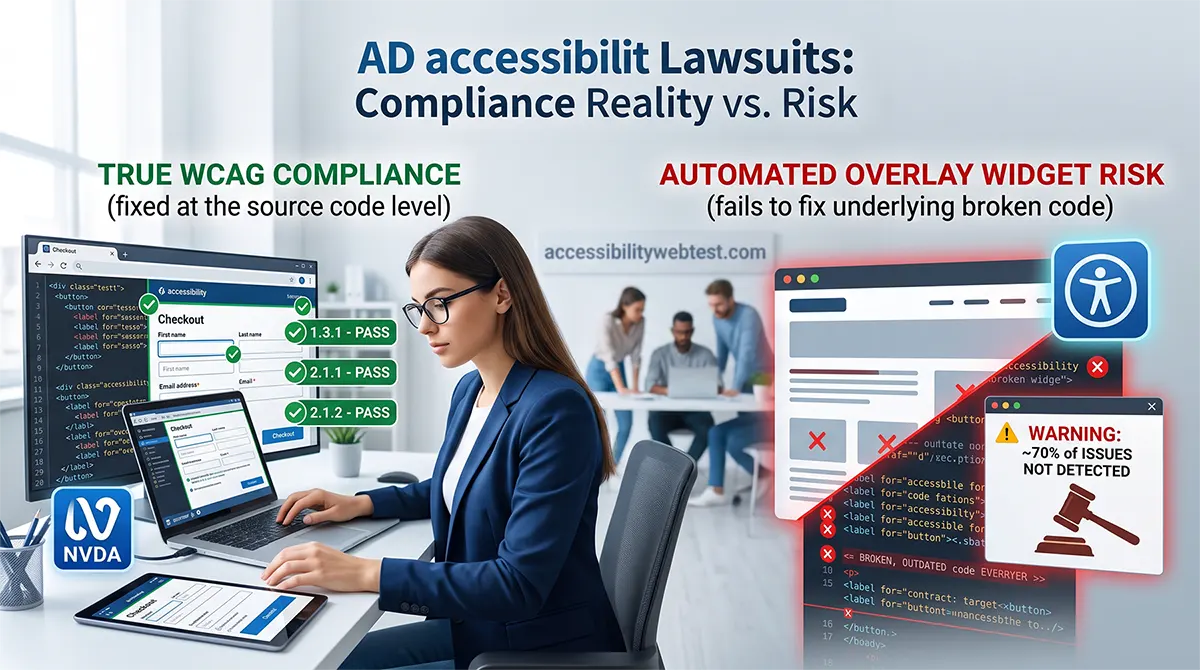
In recent years, web accessibility lawsuits filed under Title III of the Americans with Disabilities Act (ADA) have reached record highs. Plaintiff law firms systematically target e-commerce platforms, SaaS providers, and business websites, issuing demand letters alleging that inaccessible code prevents individuals with disabilities from navigating or completing transactions online.
For business owners, CTOs, and product managers, an unexpected legal demand letter can cost anywhere from $10,000 to over $50,000 in legal fees, settlements, and emergency developer hours.
Protecting your business requires understanding how federal courts apply the ADA to digital assets, why common "quick fixes" fail in court, and how to achieve true compliance using the Web Content Accessibility Guidelines (WCAG).
What Is ADA Title III and How Does It Apply to Websites?
Title III of the ADA prohibits discrimination on the basis of disability in places of public accommodation. While the original 1990 legislation addressed physical storefronts, federal courts and the U.S. Department of Justice (DOJ) explicitly interpret digital properties—including websites, customer portals, and mobile applications—as places of public accommodation.
Key Compliance Standards
To measure whether a site is legally accessible, courts rely on the Web Content Accessibility Guidelines (WCAG) created by the W3C.
WCAG 2.1 Level AA: The standard adopted by legal precedents, state mandates, and federal enforcement actions.
WCAG 2.2 Level AA: The updated standard introducing stricter requirements around focus states, target sizes, and cognitive accessibility.
If your website fails to meet WCAG 2.1 or 2.2 AA standards, users using screen readers, keyboard navigation, or screen magnifiers cannot use your platform, exposing your organization to litigation risks.
3 Critical WCAG Technical Barriers That Trigger Lawsuits
Most legal claims do not stem from subjective design preferences. They focus on clear, measurable technical violations that prevent a user from completing a core user journey (such as checking out or filling out a contact form).
1. Keyboard Traps & Inaccessible Navigation
Keyboard-only users—including individuals with motor disabilities and blind users relying on screen readers—navigate pages using the Tab, Shift+Tab, Enter, and arrow keys. A keyboard trap occurs when a user tabs into a component (like a modal pop-up or dropdown menu) but cannot tab back out.
HTML
Submit Payment
Submit Payment
2. Form Inputs Missing Programmatic Labels
When checkout or registration forms rely solely on visual placeholder text instead of semantic elements, screen readers announce the input as "Edit text, blank." Visually impaired users have no way of knowing whether the box requires a credit card number, expiration date, or billing address.
HTML
Credit Card Number
3. Low Visual Contrast Ratios
WCAG 1.4.3 requires body text to maintain a visual contrast ratio of at least 4.5:1 against its background (3:1 for large text). Light gray text on a white background or white text on a light gray button makes content unreadable for users with low vision or color blindness.
Why Automated Scanners and Overlay Widgets Fail in Court
When businesses receive a demand letter, many rush to install a low-cost "accessibility overlay widget" or run an automated scanner to patch code. Regrettably, these quick fixes often increase legal exposure.
Automated Scanners Only Catch ~30% of Violations
Automated scanning tools (such as axe-core, WAVE, or Lighthouse) are excellent for finding low-hanging fruit like missing image alt text or missing language attributes. However, automated tools miss up to 70% of real-world accessibility barriers.
What Scanners Miss: An automated tool can check if an tag has an alt attribute, but it cannot determine if alt="image123.jpg" is meaningful text or descriptive nonsense.
Logical Flow: Automated scanners cannot evaluate whether screen reader focus order follows a logical reading sequence or if dynamic JavaScript content (like AJAX notifications) gets announced to blind users.
The Problem with Accessibility Overlays
Overlay widgets use JavaScript to inject visual controls (such as high-contrast toggles or artificial screen readers) onto an inaccessible website.
They Don't Fix the Core Code: Overlays leave the underlying broken HTML untouched.
They Interfere with Real Assistive Tech: Blind users already rely on sophisticated screen readers (NVDA, Voiceover, JAWS). Overlays frequently override user settings and disrupt navigation.
Lawyers Specifically Target Overlays: Hundreds of federal lawsuits explicitly cite websites running overlay widgets because the underlying site remains fundamentally non-compliant.
Automated Scanners vs. Manual Expert Audits
To insulate your company from litigation, your accessibility strategy must combine automated efficiency with human expert verification.
Feature / Capability | Automated Scanners | Manual Expert Audit |
Color Contrast Detection | ✅ High Accuracy | ✅ Manual Verification |
Missing Alt Attribute Detection | ✅ Identifies missing tags | ✅ Verifies image context & meaning |
Keyboard Trap Detection | ❌ Cannot tab through flows | ✅ Verifies full manual keyboard flows |
Screen Reader Compatibility | ❌ Cannot test NVDA / Voiceover | ✅ Tested by human accessibility specialists |
Court & Legal defensibility | ❌ Low (easily contested) | ✅ High (backed by VPAT / Expert Report) |
4-Step Emergency Action Plan to Protect Your Business
If you want to protect your digital properties from litigation—or if you have already received a legal demand letter—follow this proven remediation roadmap:
1. Document Your Good-Faith Effort
Courts favor businesses that actively demonstrate commitment to compliance. Publish a clear Accessibility Statement on your footer, outlining your WCAG goals and offering a direct contact method for users with disabilities to request support.
2. Request a Comprehensive Manual WCAG Audit
Commission an independent audit covering your core template pages (Homepage, Product Pages, Checkout, Contact Forms, and Account Portals). Ensure the audit evaluates code against WCAG 2.1 Level AA using keyboard testing and screen readers like NVDA and Voiceover.
3. Remediate Critical Code Barriers
Work with your engineering team or agency partner to resolve issues prioritized by severity. Focus first on CRITICAL blockers that prevent task completion (such as broken checkout forms, unavailable menus, and keyboard traps).
4. Issue a Formal VPAT / Conformance Statement
Once remediation is verified via re-testing, maintain an updated Voluntary Product Accessibility Template (VPAT) or Conformance Certificate to verify your compliance status for legal teams and enterprise procurement clients.
Secure Your Website with Manual Expert Audits
Relying on automated widgets leaves your organization vulnerable to costly demand letters and reputational damage. The only way to guarantee WCAG compliance and protect your business is through human-led manual testing.
At accessibilitywebtest.com, our team of certified accessibility engineers conducts comprehensive manual WCAG 2.1 / 2.2 AA audits. We provide developer-friendly, code-level remediation reports to help your engineering team fix vulnerabilities fast.
Need a custom quote or emergency consultation? Contact our lead auditors today to protect your website from litigation.