
European Accessibility & Compliance
Automated Scanners vs. Manual Testing: Why Automated Tools Catch Only 30% of Bugs
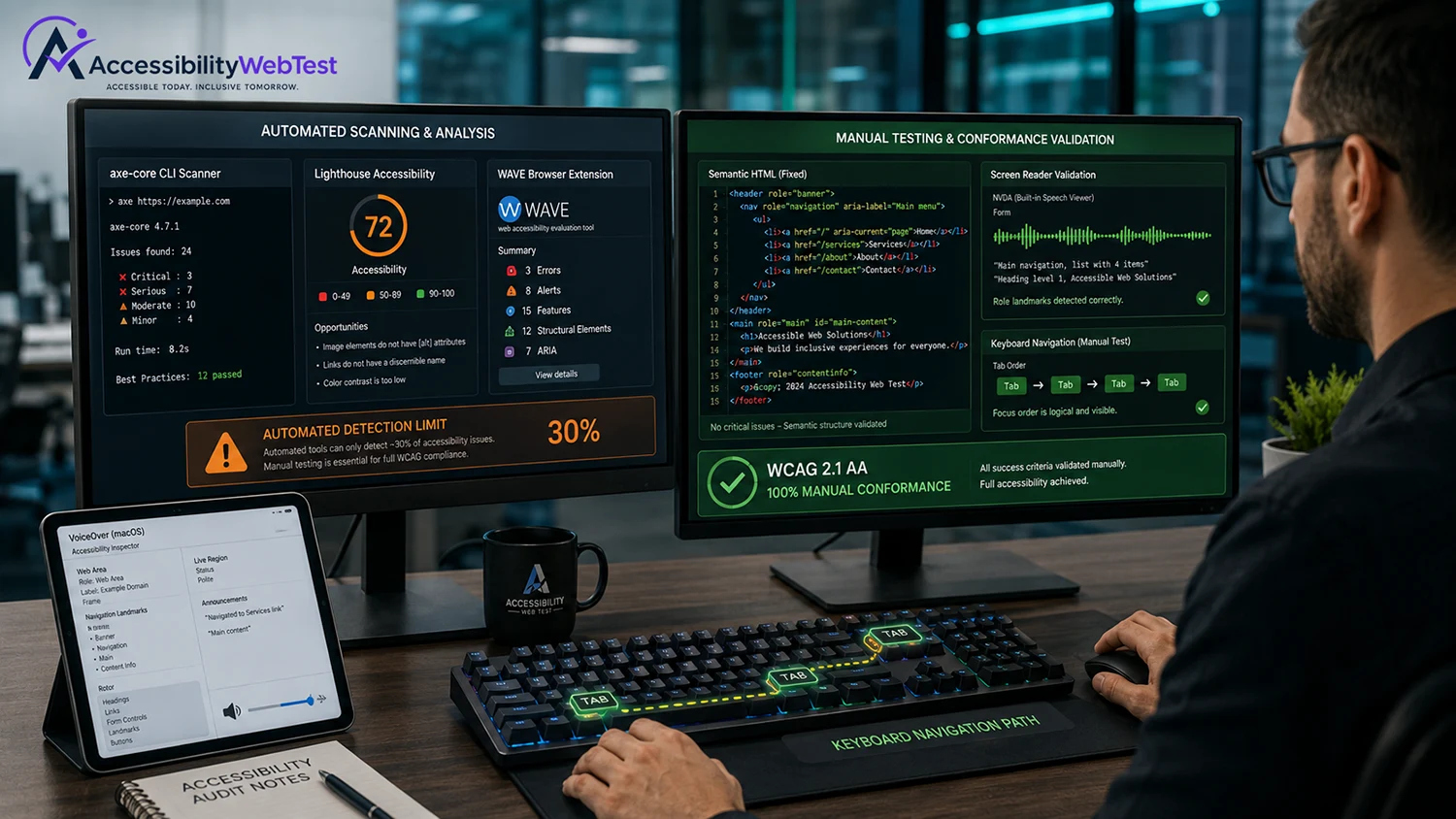
When engineering teams and business leaders commit to digital accessibility, the first step is almost always running an automated scanning tool. Tools like axe-core, WAVE, and Google Lighthouse are fast, free, and integrate seamlessly into CI/CD pipelines. They catch basic syntax errors and provide instant performance metrics.
However, a dangerous misconception persists across modern software development: believing that a clean report from an automated scanner equals a 100% WCAG-compliant, legally defensible website.
Industry research from the W3C, WebAIM, and the U.S. General Services Administration consistently demonstrates that automated scanners catch only 30% to 40% of real-world web accessibility barriers. Relying solely on automated checkers leaves up to 70% of potential WCAG violations undetected, exposing organizations to high litigation risks under ADA Title III, Section 508, and the European Accessibility Act (EAA).
For CTOs, QA Managers, and Product Owners, understanding what automated tools can—and structurally cannot—evaluate is essential for building an effective web accessibility strategy.
The 30/70 Coverage Split Explained
To understand why automated software fails to surface the majority of digital barriers, it helps to analyze how accessibility criteria are structured.
Automated tools evaluate mechanical code syntax. They check boolean rules: Is an attribute present or absent? Does a hex code meet a math formula?
What automated tools cannot evaluate is human context, interaction logic, and assistive technology behavior.
4 Technical Blind Spots Where Automated Scanners Fail
Here are four common WCAG Level AA criteria where automated scanning tools fail to surface real-world barriers.
1. Alternative Text Presence vs. Contextual Meaning (WCAG 1.1.1)
Automated tools check if an tag contains an alt attribute. If the code includes alt="image1", the automated scanner marks the check as PASSED.
A scanner cannot evaluate whether "chart" gives a blind user meaningful information or leaves them completely uninformed about crucial financial data.
2. Keyboard Navigation & Focus Traps (WCAG 2.1.1 & 2.1.2)
Keyboard-only users rely on Tab, Shift+Tab, and arrow keys to navigate interface elements.
Automated scanners do not physically press the Tab key to interact with your site. As a result, automated tools cannot detect:
Keyboard Traps: When focus gets trapped inside a modal pop-up or dropdown menu without allowing the user to tab out.
Illogical Tab Order: When pressing Tab jumps randomly across the visual screen rather than following a reading sequence.
Missing Focus States: Whether a CSS :focus-visible ring is visually clear to low-vision keyboard users.
3. Screen Reader Voice Output & Dynamic States (WCAG 1.3.1)
When custom dynamic components (like single-page app notifications, modal drawers, or checkout accordions) change state via JavaScript, visual users see an animation.
Screen readers (such as NVDA, VoiceOver, or JAWS) depend on ARIA live regions (aria-live="polite") and expanded states (aria-expanded="true"). An automated scanner can check if an ARIA attribute is syntactically valid, but it cannot verify if the screen reader actually announces the state change to a user.
4. Accessible Error Handling (WCAG 3.3.1 & 3.3.2)
When a user submits a registration form with errors, an automated scanner cannot determine if the error messages are helpful. If an input field displays a red outline with the text "Invalid Input," a blind user using a screen reader receives no guidance on how to correct the error.
Why Overlay Widgets Cannot Fix the 70% Gap
Faced with the limits of automated scanners, some companies attempt a shortcut: installing third-party JavaScript "overlay widgets." These tools promise to automatically fix WCAG violations using machine learning scripts.
Regrettably, overlays widen your risk exposure:
Overlays Don't Fix Core HTML: Overlays sit on top of the browser layer, leaving underlying broken HTML and DOM structures untouched.
They Interfere with Real Assistive Tech: Disabled users rely on native screen readers and switch devices. Overlays often override user preferences, breaking navigation.
Lawyers Target Overlay Sites: Overlays do not offer legal defense. Hundreds of federal ADA lawsuits explicitly target websites running overlay widgets because the underlying site remains fundamentally non-compliant.
Automated Scanners vs. Manual Testing: Detailed Comparison
Feature / Capability | Automated Scanning Tools | Manual Expert Audit |
Execution Speed | ✅ Instant (Scans thousands of pages) | ⏱️ Methodical (Page-by-page inspection) |
Cost per Test Run | ✅ Low (Minimal labor) | 💰 Higher (Requires expert engineering) |
Missing Image Alt Detection | ✅ Identifies missing tags | ✅ Verifies context & description quality |
Static Color Contrast | ✅ Identifies basic CSS failures | ✅ Tests dynamic visual states & gradients |
Keyboard & Focus Testing | ❌ Cannot tab through UI flows | ✅ Verifies full manual keyboard flows |
Screen Reader Verification | ❌ Cannot evaluate voice output | ✅ Verified using NVDA, VoiceOver & JAWS |
Complex User Journeys | ❌ Cannot test checkout / authentication | ✅ Audits end-to-end task completion |
Court & Legal Defensibility | ❌ Low (~30% coverage leaves high exposure) | ✅ High (Backed by VPAT & expert reports) |
The Hybrid Approach: Combining Automation with Manual QA
Automated tools are not useless—they are simply incomplete when used alone. The most efficient web development teams use a Hybrid Testing Model:
Use Automation for CI/CD Linting: Run tools like axe-core in your build pipelines to catch low-hanging fruit (missing language tags, broken ARIA syntax, static color failures) before code reaches staging.
Use Manual Audits for Milestone Releases: Commission certified human accessibility auditors to test core user journeys (Checkout, Registration, Dashboard, Support) using keyboard-only controls and native screen reader software (NVDA, VoiceOver, JAWS).
Maintain Defensible Documentation: Generate a manual-audit-backed Voluntary Product Accessibility Template (VPAT / ACR) to verify your compliance status for legal teams and enterprise procurement clients.
Partner with Certified Accessibility Engineers
Relying solely on automated scanners or quick-fix overlays leaves 70% of your platform's accessibility barriers unaddressed. True compliance requires expert human testing across real assistive tech workflows.
At accessibilitywebtest.com, our team of certified web accessibility engineers conducts end-to-end manual WCAG 2.1 / 2.2 AA audits. We provide clear, developer-friendly code remediation reports to help your engineering team eliminate barriers fast.
Calculating your project scope? Use our interactive Audit Pricing & Scope Calculator to get an immediate cost breakdown.
Evaluating your compliance strategy? Learn more about our comprehensive WCAG Audit & Testing Services.
Ready to fix hidden compliance bugs? Contact our lead auditors today to schedule a comprehensive manual accessibility audit.