
Healthcare Accessibility
Digital Accessibility for Healthcare Platforms: HIPAA & Section 1557 Guidelines
Digital Accessibility for Healthcare Platforms: HIPAA & Section 1557 Guidelines
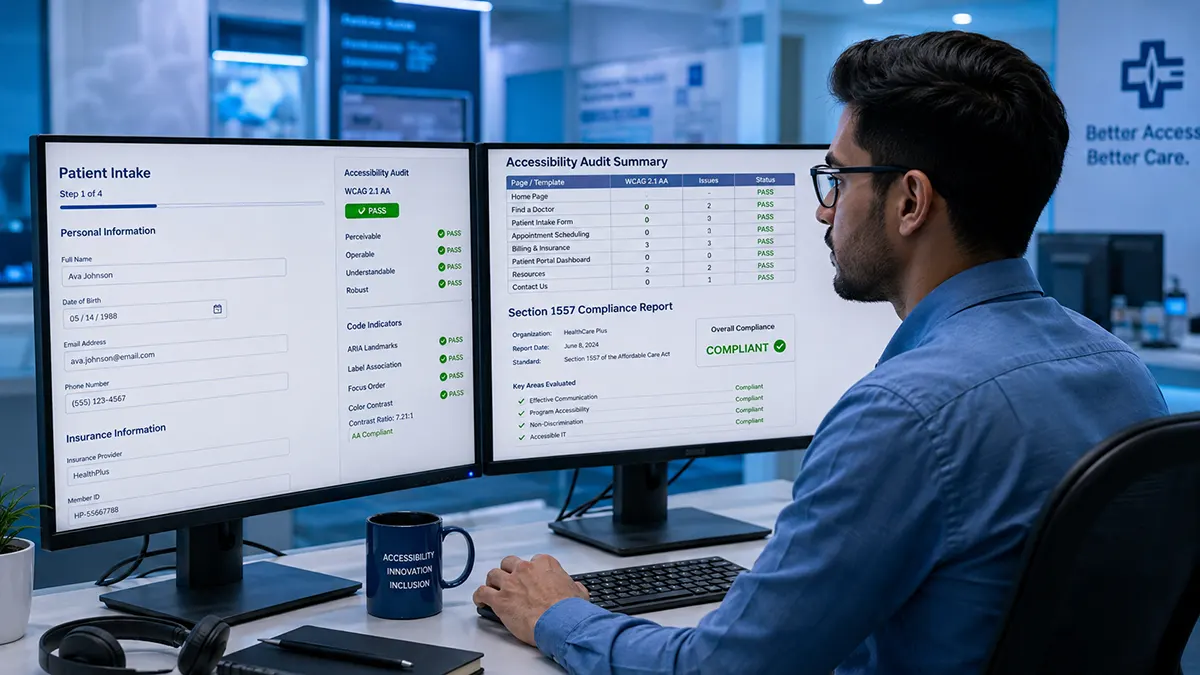
Healthcare organizations are transitioning critical patient services to digital platforms at an unprecedented pace. From tele health consultations and online scheduling to patient portals and bill pay systems, digital access is now the front door to care. However, when these platforms fail to meet web accessibility standards, millions of patients with visual, auditory, motor, or cognitive disabilities are excluded from managing their health.
For healthcare executives, CTOs, and compliance officers, digital accessibility is not just a user experience objective—it is a legal mandate. Under Section 1557 of the Affordable Care Act (ACA) and Title II/III of the Americans with Disabilities Act (ADA), covered healthcare entities must ensure their electronic health programs and activities are accessible to individuals with disabilities. Furthermore, these accessible interfaces must operate seamlessly without compromising HIPAA compliance and patient privacy.
Meeting these obligations requires adhering to the Web Content Accessibility Guidelines (WCAG) 2.1 Level AA, understanding how accessibility intersects with patient privacy, and addressing technical barriers that prevent patients from accessing care.
The Legal Imperative: Section 1557 and HIPAA Alignment
Healthcare providers receiving federal financial assistance, operating health programs, or offering plans through the Health Insurance Marketplace are governed by Section 1557 of the ACA. Final rules issued by the U.S. Department of Health and Human Services (HHS) Office for Civil Rights (OCR) explicitly require health programs delivered through websites and mobile applications to conform to WCAG 2.1 Level AA standards.
Balancing Accessibility with HIPAA Security
A common point of friction for engineering teams is ensuring accessible elements do not inadvertently expose Protected Health Information (PHI) or violate HIPAA security rules:
Session Timeouts & WCAG 2.2.1: HIPAA guidelines often dictate strict session timeouts for patient portals. However, WCAG 2.2.1 (Timing Adjustable) requires giving users with disabilities simple controls to extend or turn off the time limit before a session expires. Failing to provide a clear, screen-reader-accessible prompt to extend a session forces patients using assistive tech to be repeatedly logged out before finishing intake forms.
Accessible Error Messages: Error handling on login screens or prescription refill forms must give screen readers clear context without exposing sensitive patient details in public DOM nodes or unencrypted client-side scripts.
3 Critical WCAG Barriers on Healthcare Platforms
When healthcare platforms are built without technical accessibility considerations, disabled patients encounter roadblocks during vital care tasks.
1. Inaccessible Patient Intake Forms & Prescription Tools
Form controls on patient registration pages often rely on visual placeholder text rather than explicit HTML <label> elements. To a blind patient using a screen reader, an unlabelled input field for "Current Medications" or "Medical History" is announced only as "Edit text, blank."
HTML
<!-- INCORRECT: Inaccessible input missing programmatic association -->
<input type="text" name="meds" placeholder="List current medications...">
<!-- CORRECT: Accessible form control with explicit label association -->
<label for="medication-list">List current medications</label>
<textarea id="medication-list" name="meds" aria-describedby="meds-help"></textarea>
<span id="meds-help" class="help-text">Include dosage and frequency.</span>
2. Timeouts and Dynamic Notifications (ARIA-Live Regions)
In appointment scheduling apps, booking slots often expire after a short window. When a time slot expires or an error occurs dynamically, visual users see a red banner. However, unless the container uses aria-live="assertive", a screen reader will remain completely silent, leaving the user unaware that their booking attempt failed.
3. Contrast Ratios on Diagnostic Dashboards and Lab Results
Patient portals frequently display lab values, vital trends, and diagnostic ranges using color alone (e.g., green for normal, light red for out-of-range). WCAG 1.4.1 (Use of Color) and WCAG 1.4.3 (Contrast) dictate that:
Color must never be the sole visual means of conveying information (icons or text labels must accompany colored indicators).
Text indicators and data visual elements must maintain a minimum contrast ratio of 4.5:1 against the background.
Why Automated Scanners and Overlay Widgets Fail Healthcare Standards
When faced with Section 1557 compliance deadlines, some healthcare IT teams turn to free automated scanners or low-cost JavaScript "overlay widgets." In healthcare environments, these tools create significant risk.
The Limits of Automated Scanning Tools
Automated tools (such as axe-core or WAVE) can check basic syntax, like finding missing image alt tags or checking CSS color codes. However, automated tools miss up to 70% of real-world accessibility barriers.
Contextual Meaning: An automated scanner cannot tell if the alt text on an instructional diagram for an at-home testing kit accurately explains the medical steps to a blind patient.
Complex Multi-Step Workflows: Scanners cannot log into authenticated patient portals, complete multi-step tele health check-ins, or verify if a keyboard user can navigate through an interactive calendar picker.
The Dangers of Accessibility Overlays in Healthcare
Overlay widgets attempt to modify an inaccessible site by injecting third-party JavaScript controls over the existing frontend.
Failure to Fix Core Code: Overlays do not alter the underlying broken HTML, leaving the portal non-compliant at its root.
Interference with Assistive Tech: Patients with disabilities rely on tailored, native assistive technologies (like NVDA, Voice Over, or specialized switch devices). Overlays disrupt these devices, making it harder for patients to navigate medical records.
Security & Privacy Risks: Injecting third-party scripts across authenticated patient portals handling sensitive medical data introduces unnecessary security vectors on HIPAA-regulated systems.
Automated Scanners vs. Manual Expert Audits
To ensure both regulatory compliance and seamless patient care, healthcare providers must combine automated monitoring with comprehensive human expert testing.
Evaluation Feature | Automated Scanners | Manual Expert Audit |
Color Contrast Testing | ✅ Identifies static CSS failures | ✅ Evaluates complex graphs & charts |
Form Label Detection | ✅ Checks for missing tags | ✅ Verifies full form fill-out workflows |
Keyboard Navigation | ❌ Cannot test tab sequences | ✅ Tests complete portal workflows manually |
Screen Reader Verification | ❌ Cannot evaluate voice output | ✅ Tested with NVDA, VoiceOver, and JAWS |
Section 1557 Defensibility | ❌ Insufficient for OCR inquiries | ✅ High (supported by VPAT & expert reports) |
Achieving Digital Conformance for Your Healthcare Platform
Ensuring your digital health platform meets Section 1557, HIPAA, and WCAG standards requires a methodical approach:
Audit Authenticated Workflows: Go beyond public marketing pages. Test the entire patient journey, including portal registration, tale health lobby entry, appointment scheduling, and bill payment.
Conduct Manual Testing: Work with expert auditors who evaluate your platform using native assistive tools (NVDA, Voice Over, JAWS, and keyboard-only interaction).
Remediate Code at the Source: Provide engineering teams with actionable, developer-friendly code fixes rather than relying on superficial script overlays.
Maintain Documentation: Keep an updated Voluntary Product Accessibility Template (VPAT) or Conformance Report to demonstrate compliance during legal or regulatory reviews.
Partner with Certified Accessibility Engineers
Excluding patients from digital care platforms carries severe legal, financial, and ethical consequences. Protecting your organization requires deep technical expertise and thorough manual testing.
At accessibilitywebtest.com, our team of certified accessibility engineers specializes in manual WCAG 2.1 / 2.2 AA audits for complex web applications and healthcare portals. We provide developer-ready remediation reports that help your team eliminate barriers while protecting patient privacy.
Evaluating your testing scope? Learn more about our end-to-end Web Accessibility Audit Services for complex platforms.
Estimating project resources? Use our interactive Audit Pricing & Scope Calculator to get an immediate cost breakdown based on your portal templates.
Need a Section 1557 compliance review? Contact our lead auditors today to schedule an accessibility evaluation for your digital health platform.